VCA Compressor / Limiter · Early '80s
All the punch, none of the squash.
The story
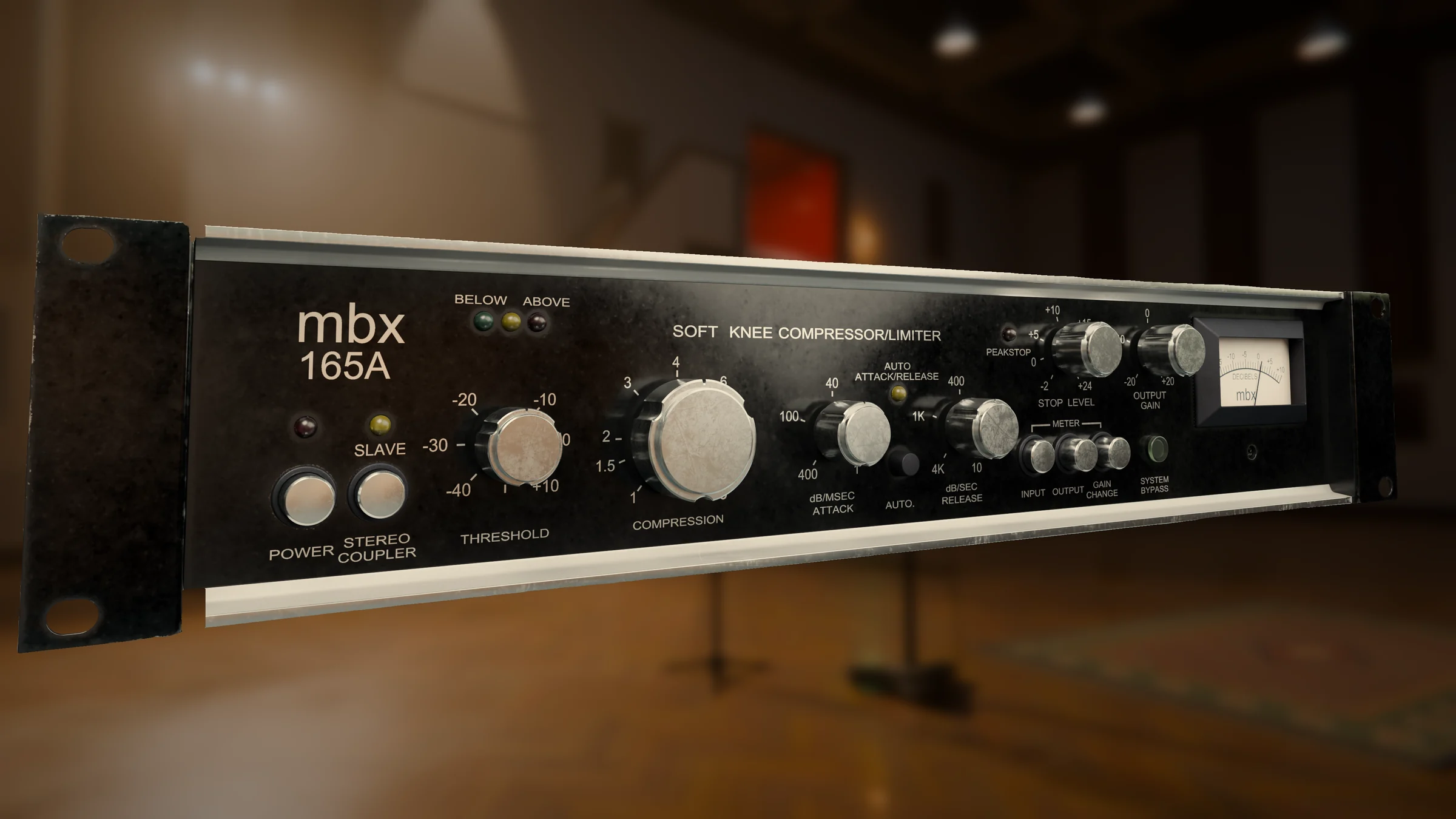
By the early '80s, VCA compressors had changed what a studio rack could do. Where valve and optical boxes were slow and coloured, a VCA could react in an instant and stay clean doing it. This rack unit took that speed and added a soft-knee curve, so compression fades in gradually around the threshold instead of snapping on at one point.
Engineers loved it on drums, bass and vocals: it holds the front of a note, keeps the body steady and doesn't dull the top end. Auto attack and release made it quick to set up, and the separate PeakStop ceiling meant nothing ever hit tape too hot. It became a fixture in racks everywhere.
Our mbx 165A is modelled on the real unit, control for control, down to the threshold lights and the three-way meter. Gentle, it's an invisible leveller. Leaned on, it's the punch you hear on so many records from that decade.
The controls
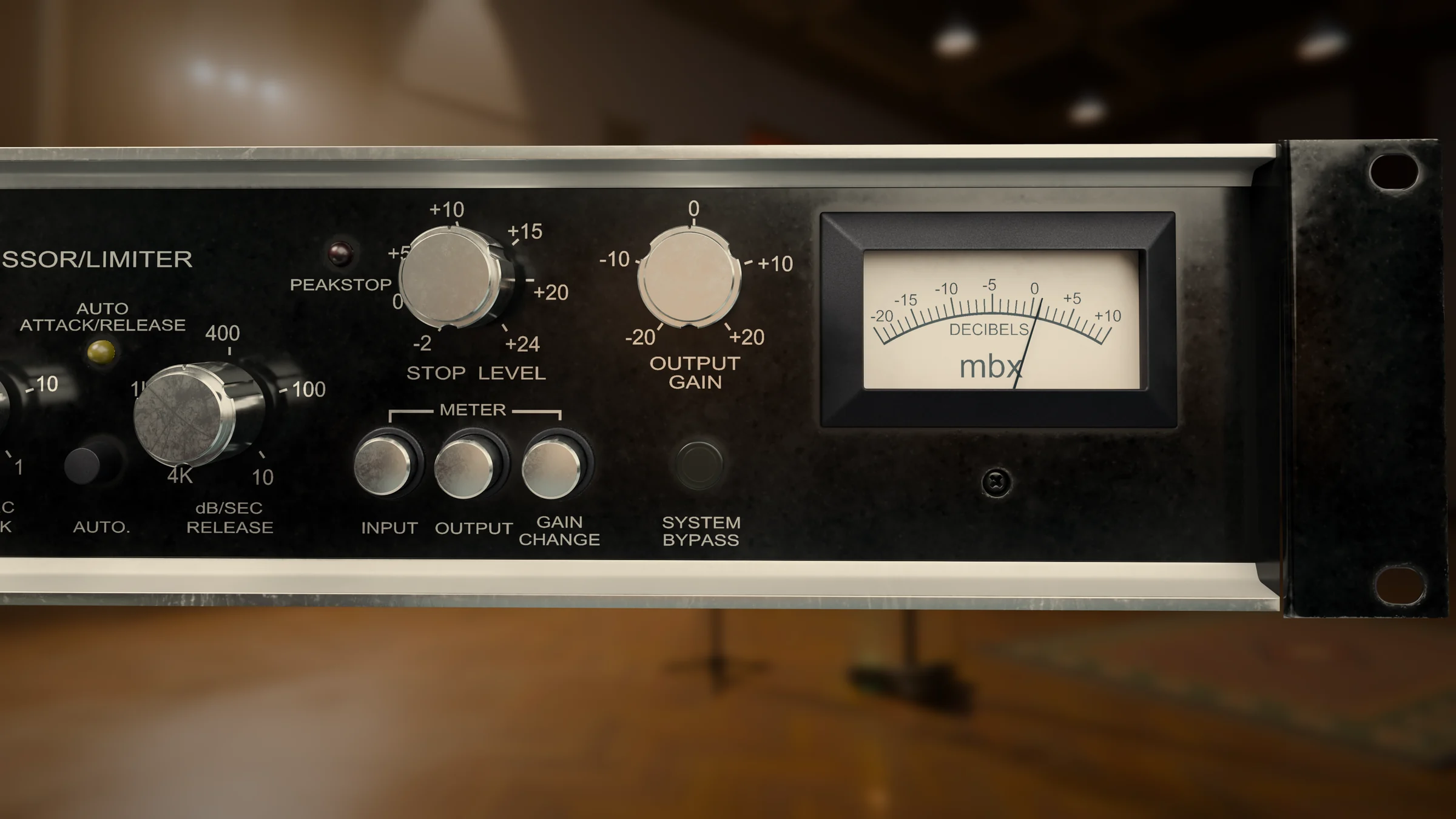
The same panel, the same scales and the same lights as the hardware. Here's what each one does.

Where it shines
Starting points to get you going. Every source is different, so trust your ears from here.
A slower attack lets the click through, then the compressor holds the body of the hit. Set the threshold so the red Above light flickers on each hit.
Start hereRatio 4 · Attack 10 · Release 400
Auto mode follows the notes, so every one sits at the same level without losing its attack.
Start hereRatio 3 · Auto on · Output +3
Gentle compression keeps the body of the vocal steady, while PeakStop catches the odd shout before it can clip.
Start hereRatio 2 · Auto on · Stop Level +10
A low ratio, a medium attack and the channels linked pull the kit together without flattening it.
Start hereRatio 1.5 · Attack 10 · Release 1K · Coupler on
Just enough that only the loudest moments light the Above light. Auto mode keeps it musical.
Start hereRatio 1.5 · Auto on · Coupler on
Ratio all the way up and the fastest attack turn it into a limiter for room mics, parallel chains or anything that has to stay under a line.
Start hereRatio ∞ · Attack 400 · Release 4K
Tech specs
Questions
No. The mbx 165A has no copy protection and no activation. Download it, install it, and it works, even offline. We only ask that you don't share your copy.
Any host that loads VST3 or AU plugins, including Logic Pro, Ableton Live, FL Studio, Cubase, Studio One, Reaper and Bitwig. Pro Tools isn't supported at the moment, because it needs the AAX format.
Checkout happens through Gumroad. As soon as you've paid, you get a download link by email, and the plugin stays in your Gumroad library so you can download it again any time.
All of the computers you personally own or use, such as your studio machine and your laptop.
Yes. Every future update to the mbx 165A is free for everyone who bought it.
Get in touch at support@magicalmysteryaudio.com and we'll do our best to fix it.